
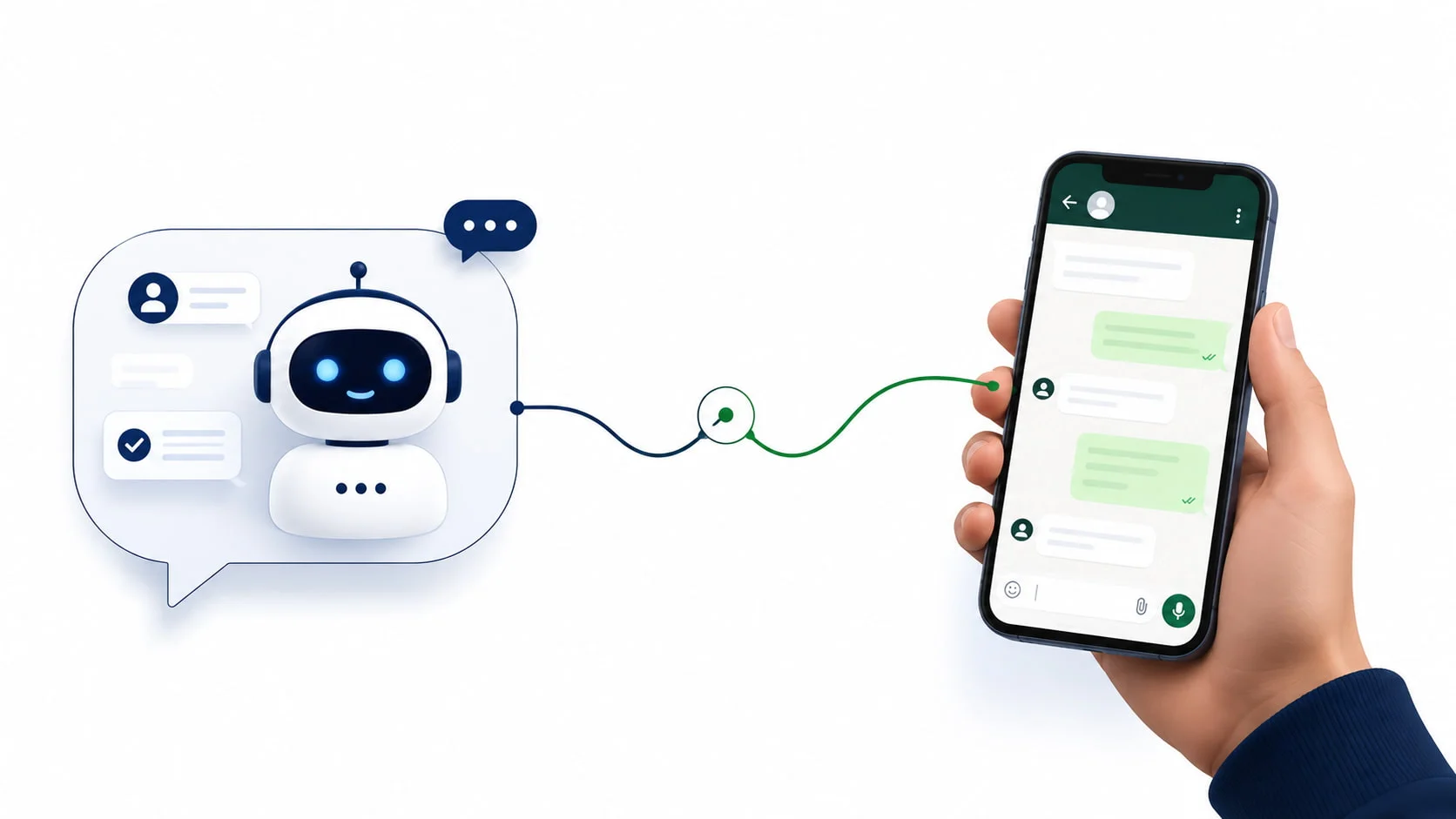
The fastest way to ruin a hot lead is to make them feel like a ticket number.
Automated qualification that fires rapid-fire questions with zero warmth does exactly that.
The lead answers two questions, feels interrogated, and stops replying.
But the opposite problem is just as costly. Without any automation, every new WhatsApp enquiry requires a human to stop what they are doing, read the message, type a reply, wait, follow up — repeatedly, across dozens of conversations simultaneously. That is not a sales process.
That is firefighting.
Automation and human connection aren’t rivals. The real skill is knowing exactly where each belongs in the conversation, and designing a flow that moves between them so naturally that the lead never notices the handover.
This guide shows you how to build that system.
Author note: BotMitra has built WhatsApp lead qualification automation flows for real estate agencies, clinics, education institutes, and e-commerce brands across India.
The frameworks here come from real conversations, real drop-off points, and real conversion improvements.
What Is WhatsApp Lead Qualification Automation?

Quick Answer
WhatsApp lead qualification automation is the use of a chatbot or automated message flow to gather key information from a new lead on WhatsApp — such as budget, timeline, location, or intent — before a human sales agent enters the conversation.
It works by triggering a pre-built question sequence the moment a new lead messages your WhatsApp number, scoring or tagging each lead based on their responses, and routing hot leads to a human agent while nurturing warm or cold leads automatically.
Most commonly used for: high-volume lead environments where a sales team cannot manually respond to every new enquiry within seconds — such as real estate, healthcare, education, and e-commerce.
The critical distinction: WhatsApp lead qualification automation filters leads so your sales team spends time only on the ones worth it — fully briefed on what the lead wants before the first human word is typed.
The Bot-to-Human Spectrum: Where Automation Ends and People Begin
Every WhatsApp lead qualification automation flow sits somewhere on a spectrum between fully automated and fully manual.
The right point on that spectrum depends on your volume, your product complexity, and how much trust your category requires before purchase.

FULLY AUTOMATED
Bot handles everything
The chatbot gathers all qualification data, tags the lead, sends relevant information, and nurtures without any human involvement.
Works when the purchase is transactional and the decision is low-stakes.
- E-commerce order enquiries
- FAQ and pricing responses
- Standard appointment bookings
HYBRID (RECOMMENDED FOR MOST BUSINESS)
Bot qualifies, human closes
The chatbot handles the first 3-5 questions, scores the lead, and hands over to a human agent when a hot signal is detected. The agent receives a briefing summary and jumps in without the lead noticing the transition.
- Real estate enquiries
- Clinic consultations
- Education admissions
- High-ticket product sales
BOT-ASSISTED HUMAN
Human leads, bot supports
The human agent manages the conversation but the bot provides suggested replies, lead history, and CRM data in the background. Works for complex, high-value, or sensitive enquiries.
- Enterprise B2B sales
- Mental health or legal consultations
- Custom product configurations
For most Indian SMBs, the hybrid model is the right choice — it gives you the speed and scale of automation for qualification while preserving the warmth of human contact for decision-making.
The 5 Qualification Questions Every Flow Needs
Your bot should gather exactly the information your sales agent needs to start a productive conversation. Not more — over-questioning feels like an interrogation. Not less — under-qualification wastes the agent’s time.
Here are the five core qualification questions, what signals to look for, and why each one matters:

QUESTION 1 – INTENT
What are you looking for today?
Why ask: Separates browsers from buyers. Intent specificity is the fastest predictor of conversion likelihood.
Hot signal: Specific request with clear need: ‘I want a 2BHK near Hinjewadi under 60L for possession by December’
Cold signal: Vague or exploratory: ‘Just checking what options are available’
QUESTION 2 – BUDGET
What is your approximate budget or price range?
Why ask: Filters leads your products cannot serve and identifies high-value prospects for priority routing.
Hot signal: States a number or range that matches your offering: ‘Around Rs. 55-65 lakhs’
Cold signal: Refuses to answer, says ‘depends’, or states a budget far outside your range
QUESTION 3 – TIMELINE
When are you looking to make a decision?
Why ask: Separates urgent buyers from long-term researchers. Urgency drives conversion speed.
Hot signal: Clear near timeline: ‘We need this sorted within the next 2-3 weeks’
Cold signal: Indefinite or far future: ‘Maybe next year sometime, still explorin’
QUESTION 4 – AUTHORITY
Are you the decision-maker for this, or is someone else involved?
Why ask: Avoids spending time on influencers rather than decision-makers. Surfaces multi-stakeholder deals earlier.
Hot signal: Is the decision maker or has clear authority: ‘YES this is my decision’
Cold signal: Need to check with spouse/parent/partner/manager before committing to anything.
QUESTION 5 – PREVIOUS EXPERIENCE
Are you the decision-maker for this, or is someone else involved?
Have you looked at other options, or is this your first enquiry?
Why ask: Reveals how far along the buying process the lead is. Experienced shoppers close faster.
Hot signal: He has done research, compared alternatives, visited competitors: ‘YES’ we have seen 3-4 other projects.
Cold signal: First touch point with no research or context.
Tone matters as much as the question itself. Each question should feel like a natural part of a helpful conversation — not a form disguised as a chat. Use conversational phrasing, acknowledge their answers, and keep the sequence flowing.
How to Keep It Human: The Language Layer
The difference between a chatbot that converts and one that gets ignored is almost always tone. These rules make automated messages feel warm:

| ✔ Do this | ✖ Not this |
|---|---|
| Hi [Name]! Thanks for reaching out. To help you better, may I ask — what kind of property are you looking for? |
Please answer the following:
1. What type of property? 2. What is your budget? 3. What is your timeline? |
| Got it — a 2BHK near Hinjewadi. That is a great area! One more quick question — what is your approximate budget range? | Budget: [Please enter budget] |
| Perfect, thank you! Let me connect you with our specialist who can show you exactly what is available in that range. | Your query has been logged. An agent will contact you shortly. |
| We have shared your details with [Agent Name], who will message you in the next 2 minutes. | Please wait. Someone will respond to your query. |
The three language rules: (1) Use the lead’s name at least once in the first two messages. (2) Acknowledge each answer before asking the next question. (3) Always explain what happens next — never leave the lead wondering if anyone is listening.
Handover Triggers: When the Bot Steps Aside
The handover from bot to human should feel like a warm introduction, not an abrupt transfer. Define these triggers clearly in your flow:

Trigger 1 Lead score reaches threshold
When the lead’s answers on budget, timeline, and intent all signal high purchase intent, the bot should immediately notify the agent and introduce them to the lead.
Auto-message sent: Great news — based on what you have told me, I have found 3 properties that match perfectly. Let me connect you with [Agent Name] who will walk you through them right now.
Trigger 2 Lead asks a question the bot cannot answer
Design your flow to detect open-ended or complex questions that fall outside the bot’s scope. Any such question should trigger an immediate human handover.
Auto-message sent: That is a great question — let me connect you directly with our specialist who can give you a detailed answer right away.
Trigger 3 Lead explicitly asks for a 3 human
Always honour this immediately. Any message containing ‘talk to a person’, ‘speak to someone’, ‘real person’, or ‘agent’ should trigger instant human routing. No exceptions.
Auto-message sent: Of course! Connecting you with [Agent Name] right now. They will message you in under 2 minutes.
Trigger 4 Lead shows frustration or hesitation
Sentiment detection or keywords like ‘this is annoying’, ‘just call me’, or multiple short non-answer replies signal the bot should step back and a human should step in.
Auto-message sent: I understand — let me get someone from our team to speak with you directly. They will be with you in just a moment.
Trigger 5 Conversation time exceeds threshold
If a conversation has been running for more than 5-7 minutes without reaching a hot lead tag, a human should review and optionally intervene. Long unresolved conversations signal either a complex need or a struggling flow.
Why This Matters: The Speed-to-Lead Reality

78%
Of customers buy from the first business that responds to their enquiry
Harvard Business Review, cited across multiple B2C sales studies
Automation closes the speed gap. Without it, your first response time is measured in hours. With a properly built WhatsApp qualification flow, your first response happens in seconds — 24 hours a day, seven days a week, regardless of team size or working hours.
The human touch closes the quality gap. Automation gets you in the conversation. Human warmth keeps you there. The businesses seeing the best results from WhatsApp qualification sequence automation and human contact deliberately, one after the other.
Common Mistakes That Make Bots Feel Robotic

Avoid these — they are the most common reasons leads stop replying to WhatsApp bots
✗ Asking all 5 qualification questions in a single message instead of one at a time
✗ Using numbered lists or form-style layouts inside WhatsApp chat bubbles
✗ Not acknowledging the lead’s answer before asking the next question
✗ Taking more than 60 seconds to notify the human agent after a hot lead is identified
✗ Sending the same bot response when the lead repeats or rephrases their question
✗ Failing to introduce the human agent by name when making the handover
Setup Checklist: Build Your Qualification Flow
Before launching your WhatsApp lead qualification automation
✓ Defined your 3-5 core qualification questions in conversational, non-form language
✓ Written acknowledgement lines for each expected answer type
✓ Set lead scoring rules: what answers count as hot, warm, or cold
✓ Configured handover triggers: score threshold, explicit human request, bot confusion, sentiment signals
✓ Written the handover message introducing the human agent by name
✓ Set agent notification: how will the agent be alerted instantly when a hot lead is flagged?
✓ Tested the full flow end-to-end from a real mobile device
✓ Briefed agents on the summary data they receive at handover
Frequently Asked Questions
Three to five questions is the sweet spot for most industries. Fewer than three and you do not have enough to meaningfully qualify or route. More than five and drop-off rates increase significantly — especially on mobile, where people are scanning quickly. Ask only what your sales agent genuinely needs before their first message.
Design your flow to handle partial completion gracefully. If a lead skips a question or gives a non-answer, the bot should ask once more in a different phrasing, then move on. Tag incomplete profiles as ‘warm’ for human review rather than cold. Partial engagement is still engagement — do not discard it.
Yes, but it is better to customise the first message by campaign. If someone clicked an ad for a specific property or product, the bot’s opening message should reference that context — it dramatically increases engagement. BotMitra supports unique opening messages per campaign source, so each lead feels like the conversation was meant for them.
Store conversation history and lead data. When a lead messages again, the bot should check their existing profile and either pick up where the conversation left off or route directly to a human agent who already has their context. BotMitra’s CRM integration handles this automatically — return visitors never get asked questions they already answered.
Always identify as an automated system early in the conversation — something like ‘I am a quick assistant here to help match you with the right person’ is enough. Pretending to be human is a violation of Meta’s policy and, more practically, it erodes trust the moment the lead realises. Transparency about automation does not hurt conversion — robotic language does.
The Bottom Line
The best WhatsApp lead qualification automation flow is the one the lead never thinks about. They message your number, get an immediate, warm response, answer a handful of natural questions, and find themselves talking to the right human at exactly the right moment — without ever feeling processed.
That experience is a designed system: each question is written on purpose, each trigger is tested, and each handover is planned before the first message goes out.
Three things to build this week:
(1) Write your five qualification questions in conversational language and test them by saying them out loud — if they sound like a form, rewrite them.
(2) Define exactly what a ‘hot lead’ looks like in terms of answers, and set that as your handover trigger.
(3) Write the handover message that introduces your agent — and make sure it includes their name.
Ready to Qualify More Leads Without Losing Human Touch
BotMitra builds WhatsApp lead qualification automation flows, chatbot-to-agent handover systems, and team inboxes — fully set up in 24-72 hours.
WhatsApp us: +91 92840 79602
